


Businesses today are under constant pressure to improve efficiency, reduce operational delays, and respond quickly to changing market demands. However, relying on manual workflows often leads to repetitive tasks, communication gaps, data inconsistencies, and slower decision-making. This is why workflow automation has become a strategic priority for organizations across industries. By automating routine business processes, companies can streamline operations, improve accuracy, and free employees to focus on higher-value tasks.
The adoption of automation technologies has accelerated significantly in recent years. Approximately 60% of businesses have already implemented automation solutions to improve operational efficiency and productivity. At the same time, the global workflow automation market was valued at $23.77 billion in 2025 and is projected to reach $40.77 billion by 2031, highlighting the growing demand for intelligent process automation solutions. These figures demonstrate how businesses are increasingly investing in technologies that can simplify workflows and support scalable growth.
At the center of this transformation are Enterprise Resource Planning (ERP) systems. ERP platforms integrate core business functions such as finance, inventory, procurement, manufacturing, human resources, and customer management into a centralized system. More importantly, modern ERP systems play a critical role in workflow automation by connecting departments, automating approvals, reducing manual intervention, and enabling real-time visibility across operations. As a result, organizations can achieve faster processes, better collaboration, and improved overall efficiency.
Solutions like Deskera ERP help businesses automate workflows across multiple operational areas through integrated business management tools. From inventory tracking and procurement approvals to accounting automation and production planning, Deskera ERP enables organizations to streamline processes from a single platform. Its cloud-based accessibility, real-time reporting, AI-powered insights, and customizable workflow capabilities help businesses improve productivity while maintaining operational accuracy and scalability.
What Is Workflow Automation?
Workflow automation is the process of using technology and software to automate repetitive business tasks, processes, and workflows with minimal human involvement. Instead of relying on employees to manually manage routine activities such as data entry, approvals, document transfers, notifications, or task assignments, automated systems handle these actions automatically based on predefined rules and conditions. This helps businesses complete processes faster, improve consistency, and reduce the risk of human error.
In today’s digital business environment, workflow automation has become an essential part of operational efficiency. Organizations across industries use automation tools to streamline day-to-day activities, improve coordination between teams, and ensure tasks move smoothly from one stage to another. Whether it is routing customer support tickets, processing invoices, updating inventory records, scheduling marketing campaigns, or managing employee onboarding, workflow automation helps businesses simplify complex operations while saving time and operational costs.
Modern workflow automation solutions are increasingly powered by artificial intelligence (AI), machine learning, and low-code technologies. These advancements allow businesses to automate more sophisticated processes, analyze real-time data, and make faster, more informed decisions. AI-driven workflow automation can identify patterns, recommend actions, prioritize tasks, and improve process accuracy without constant manual supervision. As a result, businesses can respond more quickly to operational demands while improving productivity and customer experiences.
The adoption of workflow automation continues to grow rapidly worldwide. According to McKinsey’s The State of AI in 2025 report, 88% of organizations are already using AI to automate tasks in at least one business function, compared to 50% in 2022. Additionally, the World Economic Forum’s Future of Jobs Report 2025 found that only 47% of business-related tasks are currently completed solely by humans, while technology either fully or partially manages the rest. By 2030, technology-driven tasks are expected to exceed human-only work activities, highlighting the increasing role automation will play in business operations.
Workflow automation is not limited to large enterprises. Small and medium-sized businesses also use automation to improve operational efficiency and customer service. For example, a café can implement an online ordering system that automatically sends customer orders to the kitchen, updates inventory levels, prints order tickets, and notifies customers when orders are ready for pickup. This reduces manual coordination, speeds up service, and improves the overall customer experience.
Ultimately, workflow automation helps businesses create more organized, scalable, and efficient operations. By connecting people, systems, and data through automated workflows, organizations can complete work more accurately and consistently while allowing employees to focus on strategic and higher-value responsibilities.
Key Steps of Workflow Automation
Implementing workflow automation requires careful planning, collaboration, and continuous optimization. Businesses must first understand their existing processes, identify inefficiencies, and choose the right tools before automating operations successfully.
Below are the key steps involved in workflow automation.
1. Identify Repetitive and Time-Consuming Tasks
The first step is identifying tasks that consume excessive time and involve repetitive manual work. These processes are often prone to delays, errors, and inefficiencies, making them ideal candidates for automation.
Common examples include:
- Data entry
- Invoice processing
- Employee onboarding
- Approval requests
- Customer follow-ups
- Inventory updates
- Support ticket routing
Businesses should focus on tasks that require frequent repetition and follow a predictable pattern.
2. Define Workflow Automation Goals
After identifying suitable processes, organizations must determine what they want to achieve through automation. Clear objectives help businesses design workflows that align with operational priorities and measurable outcomes.
Typical goals may include:
- Reducing manual effort
- Improving process speed
- Minimizing errors
- Enhancing customer experience
- Increasing employee productivity
- Lowering operational costs
- Improving process visibility
Setting measurable goals also makes it easier to evaluate workflow automation performance later.
3. Analyze Existing Workflows
Before automating any process, businesses should fully understand how current workflows operate. This involves gathering information about task dependencies, bottlenecks, communication gaps, approval stages, and existing systems involved in the process.
Organizations should examine:
- How tasks are initiated
- Who is responsible for each activity
- Where delays commonly occur
- What triggers workflow progression
- Which systems exchange data
Analyzing workflows helps identify inefficiencies and opportunities for improvement before automation begins.
4. Gather Input from Teams and Stakeholders
Employees who handle workflows daily often provide valuable insights into operational challenges and process inefficiencies. Involving teams early ensures that automation solutions address practical business needs and improve user adoption.
Businesses should gather feedback from:
- Department managers
- Process owners
- IT teams
- Operational staff
- Customer support teams
Cross-functional collaboration helps create workflows that improve both efficiency and employee experience.
5. Map and Visualize the Workflow
Once the process is understood, businesses should visually map the workflow using flowcharts, diagrams, or process maps. This step helps organizations clearly define how tasks move between systems, departments, and users.
A workflow map typically includes:
- Triggers that start the workflow
- Sequential tasks and approvals
- Decision points
- Data movement between systems
- Notifications and alerts
- Final outcomes or actions
Visual mapping helps businesses identify unnecessary steps and optimize workflows before automation.
6. Select the Right Workflow Automation Tools
Choosing the right workflow automation software is critical for long-term success. Businesses should evaluate tools based on scalability, integration capabilities, ease of use, customization options, and reporting features.
Key factors to consider include:
- Integration with existing ERP and business systems
- Cloud accessibility
- AI and analytics capabilities
- Security and compliance features
- Low-code or no-code workflow customization
- Scalability for future business growth
Modern ERP systems often include built-in workflow automation features that simplify implementation across departments.
7. Design Workflow Rules, Triggers, and Actions
Workflow automation operates through predefined triggers, rules, and automated actions. Businesses must establish clear logic that determines how workflows behave under different conditions.
A typical workflow structure includes:
- Trigger: An event that starts the workflow, such as a form submission or inventory shortage
- Rules and Conditions: Logic that determines workflow decisions
- Actions: Automated tasks like notifications, approvals, data updates, or task assignments
- Outcomes: Final completion, escalation, or human intervention if needed
For example:
- If a purchase request exceeds a certain value, it is automatically routed for managerial approval.
- If inventory levels fall below minimum stock thresholds, the system automatically creates a purchase order.
8. Integrate Systems and Data Sources
Workflow automation becomes more effective when systems are connected seamlessly. Businesses should ensure automation tools integrate with ERP systems, CRM platforms, accounting software, inventory management systems, and communication tools.
System integration enables:
- Real-time data synchronization
- Automated data sharing
- Reduced manual data entry
- Improved operational visibility
- Faster decision-making
Connected systems eliminate information silos and improve workflow continuity.
9. Train Employees and Manage Change
Introducing automation often changes how employees perform their daily responsibilities. Proper training and communication help reduce resistance and improve adoption.
Businesses should:
- Explain the purpose and benefits of automation
- Provide hands-on training sessions
- Share updated workflow procedures
- Offer ongoing technical support
- Address employee concerns proactively
Effective change management ensures smoother transitions from manual to automated processes.
10. Test and Implement the Automated Workflow
Before full deployment, organizations should thoroughly test workflows to identify bugs, system conflicts, or process gaps. Testing ensures workflows function correctly under different scenarios and business conditions.
Testing should verify:
- Workflow triggers and actions
- Data accuracy
- System integrations
- Notification functionality
- Approval routing logic
- Error handling mechanisms
Once testing is complete, businesses can implement workflows across departments or operations.
11. Monitor Workflow Performance
After deployment, businesses must continuously monitor workflow performance to ensure efficiency and reliability. Monitoring helps identify bottlenecks, delays, and optimization opportunities.
Organizations commonly track:
- Workflow completion times
- Error rates
- Task processing speed
- Approval turnaround times
- Employee productivity
- Customer satisfaction metrics
Dashboards and analytics tools provide real-time visibility into workflow performance.
12. Optimize and Scale Workflow Automation
Workflow automation is an ongoing process rather than a one-time implementation. Businesses should regularly refine workflows as operational needs evolve and business complexity increases.
Continuous optimization may involve:
- Updating workflow rules
- Automating additional processes
- Improving system integrations
- Scaling workflows across departments
- Incorporating AI-driven automation capabilities
Scalable automation platforms allow businesses to support growth while maintaining operational efficiency and consistency.
Types of Workflow Automation
Workflow automation can take different forms depending on a business’s operational requirements, process complexity, and automation goals.
Some automation solutions focus on streamlining complete end-to-end business processes, while others automate smaller repetitive tasks or use artificial intelligence to support intelligent decision-making.
Below are the most common types of workflow automation used by modern organizations.
1. Business Process Automation (BPA)
Business Process Automation (BPA) focuses on automating complete business processes from start to finish. Instead of automating a single activity, BPA connects multiple tasks, systems, approvals, and departments into a unified automated workflow.
The primary goal of BPA is to improve operational efficiency, reduce manual intervention, and standardize processes across the organization.
Key Features of BPA
- Automates end-to-end workflows
- Integrates multiple business systems
- Improves process visibility and tracking
- Reduces operational delays and manual errors
- Supports compliance and reporting
Examples of BPA
- Employee onboarding workflows
- Invoice processing and approvals
- Procurement management
- Customer order processing
- Expense reimbursement workflows
For example, a human resources department can automate employee onboarding by automatically generating offer letters, scheduling orientation sessions, creating employee accounts, assigning training materials, and granting system access without requiring manual coordination across teams.
Similarly, finance departments can use BPA to automate invoice processing by capturing invoices digitally, matching them with purchase orders, routing approvals automatically, and initiating payments once approvals are completed.
2. Robotic Process Automation (RPA)
Robotic Process Automation (RPA) automates repetitive, rule-based tasks using software bots. Unlike BPA, which automates an entire business process, RPA focuses on specific activities within a workflow.
RPA works best with structured data and repetitive tasks that follow predefined rules and require minimal human judgment.
Key Features of RPA
- Uses software bots to perform tasks
- Automates repetitive manual activities
- Works with structured and standardized data
- Requires minimal changes to existing systems
- Improves task accuracy and speed
Examples of RPA
- Data entry automation
- Extracting information from spreadsheets
- Updating CRM records
- Sending automated email responses
- Generating routine reports
- Processing customer support tickets
For instance, an RPA bot can automatically transfer customer information from an online form into a CRM system, send confirmation emails, and update customer records without employee involvement.
Businesses also use RPA for market research by extracting competitor pricing data from websites or collecting sales information from multiple systems for reporting purposes.
3. AI-Powered Workflow Automation
AI-powered workflow automation combines automation technologies with artificial intelligence and machine learning capabilities. Unlike traditional automation, AI-driven systems can analyze data, recognize patterns, learn from experience, and make intelligent decisions.
This type of automation is designed to handle more complex and dynamic workflows that involve unstructured data, predictions, and adaptive decision-making.
Key Features of AI-Powered Automation
- Uses artificial intelligence and machine learning
- Learns and improves over time
- Processes structured and unstructured data
- Supports predictive analytics and intelligent decision-making
- Adapts to changing business conditions
Examples of AI-Powered Workflow Automation
- Demand forecasting
- Intelligent customer support chatbots
- Fraud detection systems
- Predictive maintenance
- Image and document recognition
- AI-based recommendation systems
For example, manufacturers use AI-powered automation to improve supply chain management by analyzing historical sales trends, market demand, seasonal patterns, and inventory levels. The system can then predict future demand and automatically recommend purchasing decisions to avoid overstocking or shortages.
AI-powered automation is also widely used in customer service, where AI chatbots can understand customer queries, provide responses, escalate issues when necessary, and continuously improve interactions through machine learning.
4. Rule-Based Workflow Automation
Rule-based workflow automation operates using predefined conditions and “if/then” logic. When a specific trigger occurs, the system automatically executes a predefined action.
This type of automation is commonly used for straightforward business processes with clear rules and approval structures.
Key Features of Rule-Based Automation
- Operates on predefined rules and conditions
- Automatically triggers actions
- Reduces manual approvals and follow-ups
- Simplifies repetitive operational processes
Examples of Rule-Based Automation
- Purchase approval workflows
- Leave request approvals
- Automated notifications and reminders
- Escalation management
- Task assignments
For example:
- If an invoice exceeds a certain amount, it is automatically routed to senior management for approval.
- If inventory falls below minimum stock levels, the system automatically creates a replenishment request.
5. Document Workflow Automation
Document workflow automation focuses on managing, processing, storing, and routing digital documents automatically. It helps businesses eliminate paper-based operations and improve document accessibility and security.
Key Features of Document Workflow Automation
- Automates document creation and routing
- Supports digital approvals and signatures
- Improves document tracking and compliance
- Reduces paper-based processes
Examples of Document Workflow Automation
- Contract approval workflows
- Invoice document processing
- Employee record management
- Compliance documentation
- Purchase order approvals
Businesses commonly use document automation to accelerate approvals, reduce administrative workload, and improve compliance management.
6. IT Workflow Automation
IT workflow automation helps organizations automate technical and infrastructure-related processes within IT operations and support services.
Key Features of IT Workflow Automation
- Automates system monitoring and alerts
- Streamlines IT service management
- Improves incident response times
- Reduces manual IT administration tasks
Examples of IT Workflow Automation
- User account provisioning
- Password reset workflows
- System backup scheduling
- Software deployment
- Helpdesk ticket routing
For example, when a new employee joins a company, IT workflow automation can automatically create user accounts, assign access permissions, install required software, and notify relevant teams.
7. Workflow Automation in ERP Systems
Modern ERP systems integrate multiple types of workflow automation into a centralized platform. ERP-based automation connects departments, business functions, and data sources to streamline enterprise-wide operations.
Key Features of ERP Workflow Automation
- Centralized workflow management
- Cross-department process integration
- Real-time data synchronization
- Automated approvals and reporting
- End-to-end business process visibility
Examples of ERP Workflow Automation
- Automated procurement workflows
- Inventory replenishment automation
- Financial reporting automation
- Production planning workflows
- Employee expense approvals
ERP workflow automation improves operational coordination, reduces process silos, and enables businesses to manage workflows more efficiently from a single platform.
Advantages of ERP-Assisted Workflow Automation
ERP-assisted workflow automation helps businesses streamline operations by combining workflow automation capabilities with centralized enterprise management systems.
By integrating departments, data, and business processes into a single platform, ERP systems automate repetitive activities, improve process visibility, and support faster decision-making.
This not only improves operational efficiency but also helps organizations reduce costs, improve collaboration, and scale their operations more effectively.
Below are some of the major advantages of ERP-assisted workflow automation.
Improved Operational Efficiency
ERP-assisted workflow automation helps businesses eliminate repetitive manual tasks and streamline day-to-day operations. Automated approvals, task routing, inventory updates, and reporting reduce delays and ensure work moves efficiently between departments.
Since ERP systems centralize business data, employees can access real-time information without switching between multiple systems. This improves coordination, accelerates workflow completion, and helps organizations maintain consistent operational performance while reducing bottlenecks and unnecessary administrative effort across business processes.
Reduced Human Errors
Manual data entry and disconnected workflows often lead to operational mistakes, duplicate records, and compliance issues. ERP-assisted workflow automation minimizes these problems by standardizing workflows and automatically processing tasks based on predefined rules.
Integrated ERP systems ensure that information updates consistently across departments, reducing inconsistencies and improving data accuracy. This helps businesses avoid costly errors, minimize rework, improve reporting reliability, and maintain greater control over financial, operational, and inventory-related processes.
Faster Process Execution
ERP-assisted workflow automation speeds up business processes by automatically triggering tasks, approvals, notifications, and data transfers in real time. Processes such as procurement approvals, invoice processing, payroll management, and customer order fulfillment can move forward without manual intervention.
Automated workflows reduce waiting times and eliminate unnecessary process delays. Faster workflow execution helps businesses improve operational responsiveness, meet deadlines more consistently, and deliver better customer experiences while increasing overall business productivity.
Lower Operational Costs
Automating workflows through ERP systems helps businesses reduce operational expenses by minimizing manual labor, reducing process redundancies, and improving resource utilization. ERP automation decreases administrative workloads and limits the costs associated with human errors, delayed approvals, and inefficient communication.
Businesses can optimize staffing requirements while improving operational accuracy and productivity. Over time, reduced process inefficiencies and improved workflow management contribute to lower operational costs and stronger long-term profitability.
Better Employee Productivity
ERP-assisted workflow automation allows employees to focus less on repetitive administrative tasks and more on strategic and value-driven activities.
Automated workflows handle routine responsibilities such as data entry, approvals, notifications, and reporting, giving employees more time for problem-solving, customer engagement, and process improvement initiatives.
Since ERP systems provide centralized access to information and workflows, employees can work more efficiently, collaborate better, and make faster decisions without spending excessive time managing manual processes.
Enhanced Employee Satisfaction
Repetitive manual work and inefficient workflows can reduce employee engagement and increase workplace frustration. ERP-assisted workflow automation improves employee experiences by simplifying daily responsibilities and reducing administrative burdens.
Employees spend less time managing repetitive tasks and more time contributing to meaningful and skill-oriented work. Automated workflows also improve role clarity, reduce confusion, and create more organized processes, which helps employees work more confidently and productively while improving overall job satisfaction and retention.
Improved Collaboration and Communication
ERP-assisted workflow automation improves communication and collaboration by connecting departments through a centralized platform. Automated notifications, shared dashboards, and real-time workflow updates help teams stay aligned throughout operational processes.
Employees across finance, procurement, manufacturing, HR, and sales can access synchronized information and collaborate more effectively. Improved visibility into workflow progress reduces communication gaps, minimizes duplicate work, and helps organizations coordinate tasks more efficiently across multiple teams and business functions.
Greater Visibility and Process Transparency
ERP systems provide real-time visibility into workflow status, operational performance, approvals, and process bottlenecks. Businesses can monitor workflows using dashboards, reports, and analytics tools that track key performance indicators and operational metrics.
This transparency helps managers identify delays, evaluate workflow efficiency, and make informed decisions more quickly. Greater process visibility also improves accountability by clearly defining task ownership and enabling businesses to respond proactively to operational challenges and workflow disruptions.
Better Scalability and Business Flexibility
ERP-assisted workflow automation enables businesses to scale operations without significantly increasing administrative complexity or workforce requirements. Automated workflows can handle growing transaction volumes, expanding business operations, and increasing process demands more efficiently.
ERP systems also provide the flexibility to modify workflows, approval structures, and automation rules as business needs evolve. This scalability allows organizations to maintain operational consistency and efficiency while supporting long-term growth, expansion, and changing market requirements.
Improved Compliance and Governance
ERP-assisted workflow automation helps businesses maintain compliance by enforcing standardized procedures, approval hierarchies, and documentation practices. Automated workflows create audit trails, track approvals, and ensure tasks follow predefined business rules and regulatory requirements.
ERP systems also improve record management and reporting accuracy, making it easier for businesses to comply with industry regulations and internal policies. This reduces compliance risks, improves governance, and supports more reliable operational and financial management practices.
Elimination of Workflow Bottlenecks
ERP-assisted workflow automation helps businesses identify and eliminate bottlenecks that slow down operational processes. Automated task routing, approvals, and notifications ensure work progresses efficiently without unnecessary delays or missed responsibilities.
Real-time visibility into workflows allows managers to quickly identify process disruptions and redistribute workloads when necessary. By reducing process interruptions and improving task coordination, ERP systems help organizations maintain smoother operations and improve the overall efficiency of business workflows.
Continuous Process Improvement
ERP systems generate valuable operational data and workflow insights that support continuous improvement initiatives. Businesses can analyze workflow performance, monitor process KPIs, and identify inefficiencies using built-in reporting and analytics tools.
These insights help organizations optimize workflows, improve resource allocation, and refine operational strategies over time. Continuous monitoring and automation improvements enable businesses to adapt to changing operational requirements while maintaining efficiency, productivity, and process consistency across departments.
Supports Innovation and Business Growth
By automating repetitive workflows and centralizing operations, ERP systems create more opportunities for innovation and business growth. Employees and managers can focus more on strategic planning, customer experience improvement, and new business initiatives instead of routine administrative tasks.
ERP-assisted workflow automation also provides data-driven insights into customer behavior, operational trends, and market demands, helping businesses make smarter decisions and identify growth opportunities while improving agility and long-term competitiveness.
Common Business Processes Automated Through ERP Systems
ERP systems help businesses automate a wide range of operational workflows across departments by integrating data, processes, and business functions into a centralized platform.
ERP-assisted automation reduces manual effort, improves process accuracy, accelerates task completion, and enhances overall operational visibility. From finance and procurement to manufacturing and customer service, ERP systems streamline critical workflows that support day-to-day business operations.
Below are some of the most common business processes automated through ERP systems.
Finance and Accounting Workflows
ERP systems automate several financial and accounting processes, helping businesses improve accuracy, reduce manual data entry, and accelerate financial operations. Automated workflows can handle invoice generation, payment processing, bank reconciliations, tax calculations, expense approvals, and financial reporting.
Real-time synchronization between departments also improves financial visibility and reporting consistency. By automating repetitive accounting tasks, businesses can reduce errors, improve compliance, shorten financial closing cycles, and support faster and more accurate financial decision-making.
Procurement and Purchase Order Management
ERP systems streamline procurement workflows by automating purchase requests, supplier communications, approvals, and purchase order generation. Automated procurement workflows help businesses maintain better control over spending, supplier management, and inventory replenishment.
ERP systems can automatically trigger purchase orders when stock levels fall below predefined thresholds and route approvals based on purchasing policies. This improves procurement efficiency, reduces delays, strengthens supplier coordination, and helps organizations maintain optimal inventory levels while controlling operational costs.
Inventory and Warehouse Management
ERP-assisted automation improves inventory and warehouse operations by providing real-time inventory tracking, automated stock updates, barcode integration, and replenishment management. Automated workflows monitor inventory levels continuously and generate alerts or purchase requests when stock reaches minimum thresholds.
ERP systems also automate warehouse activities such as stock transfers, order picking, shipment tracking, and inventory reconciliation. This helps businesses reduce stock shortages, minimize excess inventory, improve order accuracy, and optimize warehouse efficiency across operations.
Manufacturing and Production Planning
Manufacturing businesses use ERP systems to automate production scheduling, material planning, work order management, quality control, and machine utilization tracking. ERP-assisted workflow automation helps manufacturers synchronize production activities with inventory availability, customer demand, and procurement schedules.
Automated workflows improve production visibility, reduce scheduling conflicts, and ensure materials are available when needed. This enhances operational efficiency, minimizes production delays, improves resource utilization, and supports better overall production planning and manufacturing performance.
Sales and Customer Order Processing
ERP systems automate sales workflows by managing customer orders, pricing approvals, invoicing, shipment coordination, and order tracking from a centralized platform. Automated workflows ensure customer orders move efficiently from order placement to fulfillment without unnecessary delays or manual intervention.
ERP systems also provide real-time visibility into inventory availability and delivery schedules, improving order accuracy and customer communication. Faster order processing and streamlined workflows help businesses improve customer satisfaction and strengthen sales operations.
Customer Relationship Management (CRM) Workflows
ERP-integrated CRM workflows automate lead management, customer follow-ups, sales pipeline tracking, customer communications, and service request management. Automated workflows help businesses assign leads, schedule follow-ups, send reminders, and maintain updated customer records automatically.
Centralized customer data also improves communication between sales, support, and marketing teams. By automating CRM activities, businesses can improve response times, strengthen customer engagement, and manage customer relationships more effectively throughout the customer lifecycle.
Human Resources and Employee Management
ERP systems automate several HR processes, including employee onboarding, attendance tracking, leave management, payroll processing, performance evaluations, and employee record management. Automated HR workflows reduce administrative workload and improve process consistency across the employee lifecycle.
For example, ERP systems can automatically generate employee records, assign onboarding tasks, manage payroll calculations, and process leave approvals. This improves HR efficiency, reduces paperwork, enhances compliance, and supports better workforce management and employee experiences.
Payroll and Compensation Management
Payroll automation through ERP systems simplifies salary calculations, tax deductions, overtime tracking, reimbursement processing, and payroll approvals. Automated payroll workflows reduce manual calculations and improve payroll accuracy while ensuring compliance with labor regulations and tax requirements.
ERP systems also maintain centralized employee compensation records and generate payroll reports automatically. This helps businesses reduce payroll errors, improve processing speed, and ensure employees receive accurate and timely compensation.
Supply Chain and Logistics Management
ERP-assisted workflow automation improves supply chain coordination by automating supplier communications, shipment scheduling, transportation tracking, and delivery management.
ERP systems provide real-time visibility into inventory movement, procurement activities, and logistics operations, helping businesses optimize supply chain performance.
Automated workflows also improve coordination between procurement, warehousing, and distribution teams. This helps organizations reduce delivery delays, improve inventory availability, and strengthen overall supply chain efficiency and responsiveness.
Approval and Compliance Workflows
ERP systems automate approval processes for expenses, purchase requests, contracts, invoices, and operational changes using predefined rules and approval hierarchies. Automated approval workflows ensure requests move through the correct authorization channels without delays or manual follow-ups.
ERP systems also maintain audit trails and document histories that improve compliance tracking and governance. This helps businesses strengthen accountability, improve process transparency, reduce approval bottlenecks, and maintain regulatory compliance more effectively.
Reporting and Business Intelligence Workflows
ERP systems automate data collection, report generation, dashboard updates, and performance monitoring across departments. Automated reporting workflows provide real-time access to operational, financial, inventory, and sales data without requiring manual consolidation.
Businesses can generate customized reports, monitor KPIs, and analyze trends more efficiently using ERP analytics tools. This improves decision-making speed, enhances business visibility, and supports more accurate strategic planning and operational management.
Customer Support and Service Management
ERP systems help automate customer service workflows such as ticket creation, issue escalation, service scheduling, and customer communication management. Automated workflows ensure support requests are assigned to the right teams, prioritized correctly, and tracked until resolution.
ERP-integrated customer service automation improves response times, reduces service delays, and enhances customer satisfaction. Businesses can also monitor service performance metrics and maintain complete service histories to improve support quality and operational efficiency.
Challenges Businesses Face in ERP-Assisted Workflow Automation
While ERP-assisted workflow automation offers significant operational benefits, implementing and managing automated workflows within ERP systems can also present several challenges. Businesses often face technical, organizational, and operational barriers when transitioning from manual processes to automated enterprise workflows.
Factors such as system complexity, employee resistance, integration difficulties, and high implementation costs can impact the success of automation initiatives. Understanding these challenges helps organizations prepare better strategies for successful ERP workflow automation adoption.
High Initial Implementation Costs
Implementing ERP-assisted workflow automation often requires substantial upfront investment in software, infrastructure, customization, integration, and employee training. Businesses may also incur additional expenses for system upgrades, data migration, consulting services, and ongoing maintenance.
For small and medium-sized businesses, these costs can become a major barrier to adoption. Without proper planning and budgeting, organizations may struggle to achieve expected returns on investment or face delays during implementation and workflow automation deployment.
Complex ERP System Integration
Many businesses operate multiple software systems across departments, including CRM platforms, accounting software, inventory tools, HR applications, and third-party solutions. Integrating these systems with ERP-assisted workflow automation can be technically challenging and time-consuming.
Poor system integration may result in data inconsistencies, workflow disruptions, and communication gaps between departments. Businesses must ensure seamless connectivity between systems to enable accurate data synchronization, smooth workflow execution, and real-time operational visibility across the organization.
Resistance to Organizational Change
Employees and managers may resist ERP-assisted workflow automation due to concerns about changing job responsibilities, unfamiliar technologies, or fear of job displacement. Teams accustomed to manual workflows may find it difficult to adapt to automated systems and new operational processes.
Resistance to change can slow implementation progress, reduce system adoption, and negatively impact workflow efficiency. Businesses must focus on communication, employee involvement, and change management strategies to encourage acceptance and improve automation adoption across departments.
Data Migration and Data Quality Issues
ERP-assisted workflow automation depends heavily on accurate and consistent business data. During implementation, businesses often face challenges migrating large volumes of historical data from legacy systems into the new ERP environment.
Incomplete, outdated, or inconsistent data can create workflow errors, reporting inaccuracies, and operational disruptions. Poor data quality also reduces the effectiveness of automation rules and decision-making processes. Organizations must carefully clean, validate, and structure data before implementing ERP-based workflow automation systems.
Overly Complex Workflow Design
Some businesses attempt to automate highly complicated workflows without first simplifying or optimizing existing processes.
Overly complex workflow configurations can make ERP systems difficult to manage, maintain, and scale over time. Complex automation logic may also create process confusion, approval delays, and troubleshooting difficulties.
Businesses should avoid automating inefficient workflows directly and instead focus on streamlining processes before implementing automation to ensure workflows remain manageable, efficient, and adaptable to future business needs.
Lack of Employee Training and Skill Gaps
ERP-assisted workflow automation introduces new technologies, interfaces, and process structures that employees must learn to use effectively. Insufficient training can lead to user confusion, workflow errors, poor system adoption, and reduced productivity.
Employees may struggle to understand automated processes, reporting tools, or workflow management responsibilities without proper guidance. Businesses must invest in continuous employee training, technical support, and skill development programs to ensure teams can confidently operate and manage automated ERP workflows.
Customization and Scalability Challenges
While ERP systems offer workflow customization capabilities, excessive customization can create long-term maintenance and scalability problems. Highly customized workflows may become difficult to update, integrate, or adapt when business requirements change.
Businesses may also face challenges scaling workflows across departments, locations, or growing operational demands. Organizations must balance customization with standardization to maintain system flexibility while ensuring ERP-assisted workflows remain scalable, maintainable, and aligned with evolving business objectives.
Workflow Visibility and Monitoring Difficulties
Although ERP systems provide workflow visibility tools, businesses sometimes struggle to monitor automated workflows effectively across complex operations. Limited reporting capabilities, unclear dashboards, or insufficient performance tracking can make it difficult to identify workflow bottlenecks, delays, or system inefficiencies.
Without proper monitoring, businesses may overlook workflow disruptions or operational issues that impact productivity. Organizations need strong analytics, reporting tools, and performance metrics to maintain visibility and optimize ERP-assisted workflow automation continuously.
Cybersecurity and Data Protection Risks
ERP-assisted workflow automation centralizes sensitive business information, making cybersecurity and data protection critical concerns. Automated workflows often involve financial records, employee information, customer data, supplier communications, and operational processes.
Weak security controls or poorly configured systems can expose businesses to data breaches, unauthorized access, and compliance violations. Organizations must implement strong cybersecurity measures, access controls, encryption, and regular system monitoring to protect automated ERP workflows and sensitive business data effectively.
Difficulty Measuring ROI and Performance Impact
Many businesses struggle to accurately measure the return on investment (ROI) and operational impact of ERP-assisted workflow automation initiatives. Benefits such as improved efficiency, reduced delays, and enhanced collaboration may take time to become measurable.
Additionally, organizations may lack clearly defined KPIs and performance benchmarks to evaluate automation success. Without proper measurement frameworks, businesses may find it difficult to justify investments, identify improvement opportunities, or demonstrate the long-term value of ERP-assisted workflow automation.
Maintaining Continuous Workflow Optimization
ERP-assisted workflow automation is not a one-time implementation process. As business operations, customer expectations, and market conditions evolve, workflows must be continuously reviewed and optimized. Businesses that fail to update automation rules, workflow structures, or integration capabilities may experience declining efficiency over time.
Continuous optimization requires regular performance analysis, process refinement, employee feedback, and technology upgrades to ensure automated workflows continue delivering operational value and supporting long-term business growth.
Best Practices for ERP-Assisted Workflow Automation
Successfully implementing ERP-assisted workflow automation requires more than simply automating existing processes. Businesses must carefully plan workflows, align automation with operational goals, involve employees, and continuously optimize processes to maximize efficiency and long-term value.
Following best practices helps organizations reduce implementation risks, improve system adoption, and ensure automated workflows remain scalable, efficient, and aligned with business objectives.
Analyze and Optimize Existing Workflows Before Automation
Before automating any process, businesses should carefully evaluate their existing workflows to identify inefficiencies, bottlenecks, redundant tasks, and unnecessary approvals. Automating inefficient workflows can simply accelerate operational problems instead of solving them.
Organizations should first simplify and standardize processes before implementing ERP-assisted automation. Conducting workflow analysis also helps businesses identify high-impact automation opportunities and ensures automated workflows are designed to improve operational efficiency, accuracy, and overall process performance.
Set Clear Workflow Automation Goals
Businesses should define clear and measurable objectives before implementing ERP-assisted workflow automation. Goals may include reducing manual effort, improving approval turnaround times, increasing productivity, lowering operational costs, or improving customer experiences.
Clearly defined objectives help organizations prioritize automation initiatives and measure workflow performance effectively after implementation. Establishing key performance indicators (KPIs) early also enables businesses to track operational improvements and evaluate the overall success of ERP-assisted workflow automation initiatives more accurately.
Choose the Right ERP Platform
Selecting the right ERP system is critical for successful workflow automation. Businesses should choose ERP platforms that offer strong workflow automation capabilities, integration flexibility, scalability, real-time reporting, and user-friendly interfaces. The ERP solution should also support customization without becoming overly complex to manage.
Cloud-based ERP systems with built-in automation, analytics, and AI capabilities often provide greater flexibility and operational visibility. Choosing the right platform ensures workflows remain scalable, efficient, and adaptable as business requirements evolve.
Prioritize High-Impact Processes First
Businesses should begin ERP-assisted workflow automation with processes that generate the greatest operational impact. Automating highly repetitive, time-consuming, and error-prone workflows first helps organizations achieve faster efficiency improvements and stronger returns on investment.
Common starting points include invoice processing, procurement approvals, inventory management, payroll workflows, and customer order processing. Prioritizing high-impact processes also helps businesses demonstrate automation value early, which encourages broader adoption and supports future workflow automation expansion across departments.
Ensure Strong System Integration
ERP-assisted workflow automation works best when all critical business systems are properly integrated. Organizations should ensure seamless connectivity between ERP platforms and systems such as CRM software, accounting tools, HR applications, inventory management systems, and supply chain platforms.
Proper integration enables real-time data synchronization, improves workflow continuity, and eliminates information silos. Strong system integration also reduces manual data entry, improves reporting accuracy, and ensures workflows operate consistently across departments and business functions.
Involve Employees and Stakeholders Early
Successful workflow automation requires collaboration between management, IT teams, department leaders, and employees who use the workflows daily. Involving stakeholders early helps businesses better understand operational pain points, workflow requirements, and process improvement opportunities.
Employee participation also improves acceptance of automation initiatives and reduces resistance to organizational change. Gathering feedback during workflow design and implementation ensures automated processes align with actual business needs while improving usability and overall workflow effectiveness.
Provide Comprehensive Employee Training
Employee training is essential for maximizing the success of ERP-assisted workflow automation. Businesses should provide hands-on training sessions, workflow documentation, and ongoing support to help employees understand new systems, automation rules, and workflow responsibilities.
Proper training improves user confidence, reduces workflow errors, and encourages stronger adoption across departments. Organizations should also educate employees on how automation benefits their daily work by reducing repetitive tasks and improving operational efficiency and collaboration.
Standardize Workflow Rules and Approval Structures
Businesses should establish clear workflow rules, approval hierarchies, and process standards before implementing ERP-assisted automation. Standardized workflows improve consistency, reduce confusion, and simplify workflow management across departments.
Clearly defined approval structures also help prevent delays, unauthorized actions, and operational inconsistencies. Standardization ensures workflows remain scalable and easier to maintain while improving compliance, accountability, and overall operational control throughout the organization.
Focus on Data Accuracy and Data Governance
ERP-assisted workflow automation depends heavily on accurate and reliable data. Businesses should establish strong data governance practices to ensure information remains consistent, updated, and properly structured across systems.
Organizations should regularly clean and validate data before and after automation implementation to reduce workflow errors and reporting inaccuracies. Maintaining high-quality data improves automation reliability, operational visibility, forecasting accuracy, and decision-making throughout automated ERP workflows.
Monitor Workflow Performance Continuously
Businesses should continuously track workflow performance using dashboards, analytics tools, and KPI monitoring. Measuring metrics such as workflow completion times, approval delays, error rates, operational costs, and employee productivity helps organizations identify bottlenecks and improvement opportunities.
Real-time monitoring also allows businesses to respond quickly to workflow disruptions and operational inefficiencies. Continuous performance analysis ensures ERP-assisted workflows remain optimized, efficient, and aligned with evolving business goals and operational requirements.
Maintain Flexibility and Scalability
Business processes and operational requirements evolve over time, making flexibility and scalability essential for ERP-assisted workflow automation. Organizations should design workflows that can easily adapt to business growth, regulatory changes, market demands, and new operational strategies.
Avoiding excessive customization also helps maintain workflow flexibility and simplifies future system upgrades or integrations. Scalable automation frameworks allow businesses to expand workflow automation across departments and locations without disrupting operational consistency or efficiency.
Strengthen Security and Access Controls
ERP-assisted workflow automation often handles sensitive financial, operational, customer, and employee data. Businesses should implement strong cybersecurity measures, user permissions, encryption protocols, and role-based access controls to protect automated workflows and business information.
Regular security audits and monitoring also help identify vulnerabilities and reduce risks associated with unauthorized access or data breaches. Strong security practices improve compliance, protect operational integrity, and maintain trust in ERP-assisted automation systems.
Continuously Improve and Optimize Workflows
ERP-assisted workflow automation should be treated as an ongoing improvement initiative rather than a one-time implementation project. Businesses should regularly review workflow performance, gather employee feedback, analyze operational data, and refine automation processes to improve efficiency continuously.
Continuous optimization helps organizations adapt workflows to changing business conditions, eliminate new bottlenecks, and maximize the long-term value of ERP-assisted automation investments while maintaining operational agility and competitiveness.
Key Metrics to Track ERP Workflow Automation Success
Tracking the right metrics helps businesses evaluate the effectiveness of ERP-assisted workflow automation and identify opportunities for improvement. Monitoring workflow performance enables organizations to measure efficiency gains, cost reductions, process accuracy, and overall operational impact.
Below are some of the most important metrics businesses should track to assess ERP workflow automation success.
Workflow Completion Time
Workflow completion time measures how long it takes for a process to move from initiation to completion. ERP-assisted automation should reduce delays, eliminate bottlenecks, and accelerate task execution. Monitoring this metric helps businesses evaluate process efficiency and identify workflows that require further optimization or process improvements.
Approval Cycle Time
Approval cycle time tracks the duration required for approvals within workflows such as purchase requests, invoices, expense claims, or contracts. Automated ERP workflows should shorten approval timelines by routing requests automatically. Reducing approval delays improves operational speed, decision-making efficiency, and overall workflow productivity across departments.
Error Rate Reduction
This metric measures how effectively ERP-assisted workflow automation reduces manual errors, duplicate entries, incorrect approvals, and data inconsistencies. Lower error rates indicate improved process accuracy and workflow reliability. Tracking error reduction also helps businesses measure improvements in operational quality, compliance management, and overall business efficiency.
Employee Productivity
Employee productivity measures how efficiently employees complete tasks after workflow automation implementation. ERP-assisted automation should reduce repetitive administrative work and allow employees to focus on higher-value activities. Monitoring productivity improvements helps businesses evaluate how automation impacts workforce efficiency, collaboration, and overall operational performance.
Operational Cost Savings
Operational cost savings track the financial impact of ERP-assisted workflow automation. Businesses can measure reductions in labor costs, administrative expenses, process delays, and rework costs. Monitoring this metric helps organizations determine the return on investment (ROI) generated through workflow automation and improved operational efficiency.
Workflow Throughput
Workflow throughput measures the volume of tasks, transactions, or processes completed within a specific timeframe. ERP-assisted automation should increase throughput by streamlining workflows and reducing process delays. Higher throughput indicates improved operational capacity, faster workflow execution, and greater efficiency in handling growing business demands.
System Adoption Rate
System adoption rate measures how effectively employees and departments are using ERP-assisted workflow automation tools. High adoption rates indicate successful implementation, employee acceptance, and efficient workflow integration. Monitoring adoption helps businesses identify training gaps, usability challenges, or resistance that may impact automation performance and productivity.
Customer Response and Resolution Time
This metric tracks how quickly businesses respond to customer inquiries, service requests, or support tickets after implementing workflow automation. ERP-assisted workflows should improve communication speed and issue resolution efficiency. Faster response times contribute to better customer experiences, improved satisfaction, and stronger customer relationship management performance.
Compliance and Audit Accuracy
Compliance and audit accuracy measure how effectively ERP-assisted workflows follow regulatory requirements, approval structures, and documentation standards. Automated workflows help maintain audit trails and reduce compliance violations. Monitoring this metric ensures businesses maintain governance standards, reduce operational risks, and improve reporting and process transparency.
Inventory Accuracy and Stock Availability
For businesses managing inventory, this metric evaluates how ERP-assisted workflow automation improves inventory tracking, stock accuracy, and replenishment efficiency. Automated inventory workflows help reduce stock discrepancies, shortages, and overstocking issues. Improved inventory accuracy supports better production planning, procurement efficiency, and customer order fulfillment performance.
Process Bottleneck Frequency
Process bottleneck frequency measures how often workflows experience delays, interruptions, or approval backlogs. ERP-assisted automation should reduce operational bottlenecks by improving task routing and workflow visibility. Tracking bottlenecks helps businesses identify process inefficiencies quickly and implement workflow improvements to maintain smooth operational performance.
Return on Investment (ROI)
ROI measures the overall financial and operational value generated through ERP-assisted workflow automation. Businesses compare automation implementation costs against benefits such as productivity improvements, cost reductions, faster workflows, and increased operational efficiency. A strong ROI indicates successful workflow automation implementation and long-term business value creation.
How Deskera ERP Supports Workflow Automation
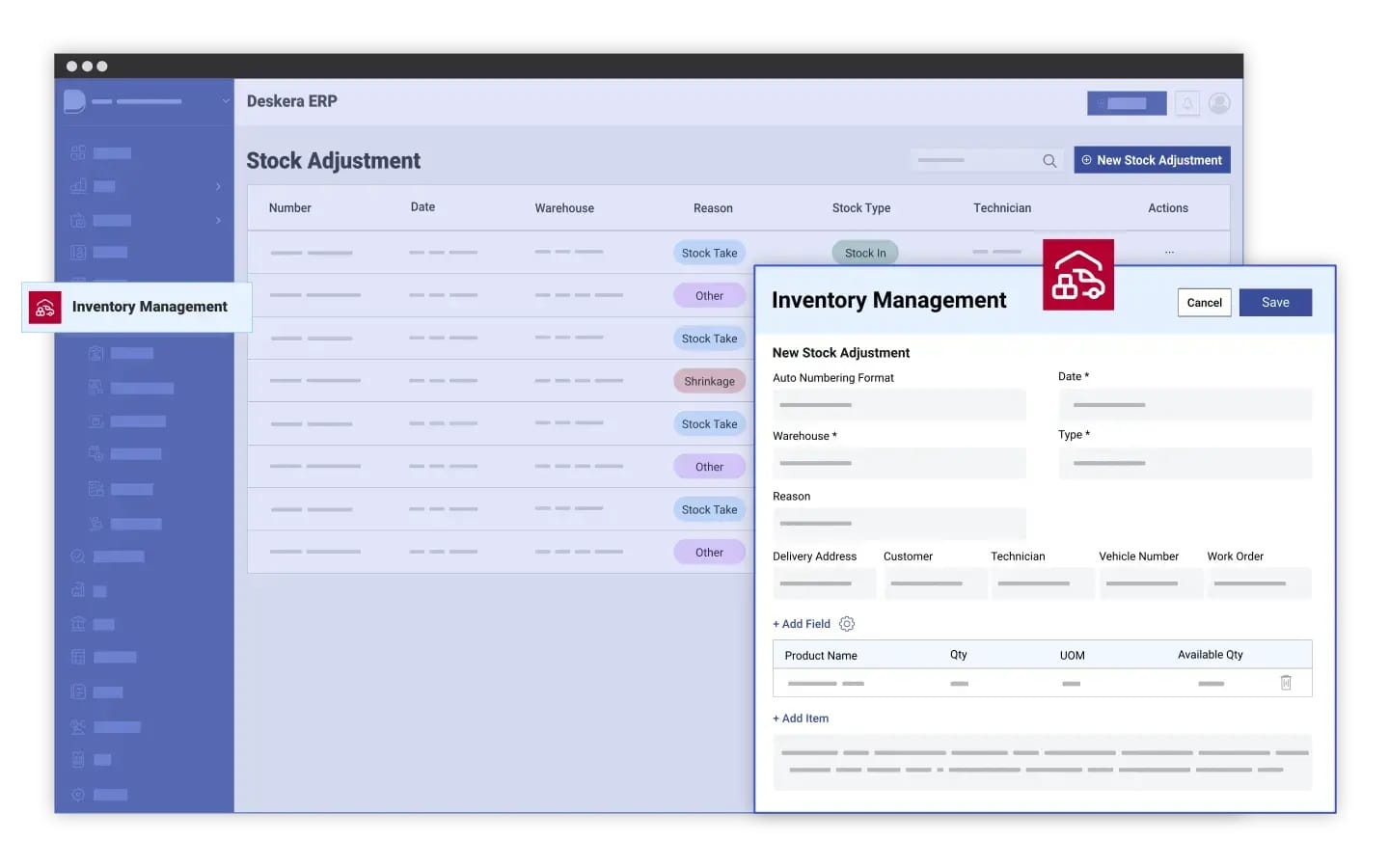
Deskera ERP helps businesses automate workflows across finance, procurement, inventory, manufacturing, sales, and reporting through a centralized cloud-based platform. By reducing manual tasks and connecting business operations, Deskera improves efficiency, visibility, collaboration, and workflow accuracy across departments.
Automated Financial Workflows
Deskera ERP automates invoicing, payment tracking, expense management, bank reconciliation, and financial reporting. Automated approval workflows reduce manual processing and improve financial accuracy while helping businesses accelerate accounting operations and maintain better control over financial activities.
Streamlined Procurement Processes
Deskera ERP automates purchase requests, purchase orders, vendor coordination, and approval workflows. This helps businesses reduce procurement delays, improve supplier management, control purchasing costs, and streamline procurement operations through faster and more organized workflow execution.
Real-Time Inventory Automation
Deskera ERP automates inventory tracking, stock updates, replenishment alerts, and warehouse operations. Real-time inventory synchronization helps businesses reduce stock shortages, prevent overstocking, improve order fulfillment accuracy, and maintain better inventory visibility across operational processes.
Manufacturing Workflow Automation
Deskera ERP supports automated production planning, work order management, material requirement planning, and production tracking. These workflows help manufacturers improve scheduling accuracy, optimize resource utilization, reduce production delays, and improve coordination across manufacturing operations.
CRM and Sales Workflow Automation
Deskera ERP automates lead management, customer follow-ups, sales tracking, and order processing workflows. Automated sales workflows improve customer communication, reduce administrative work, and help businesses manage customer relationships and sales operations more efficiently.
Real-Time Reporting and Analytics
Deskera ERP provides automated dashboards, KPI tracking, forecasting, and business reporting tools. Real-time analytics improve operational visibility, support faster decision-making, and help businesses identify workflow bottlenecks and performance improvement opportunities more effectively.
Customizable Workflow Automation
Deskera ERP allows businesses to customize workflows, automate approvals, create notifications, and manage tasks based on operational needs. Its scalable cloud-based platform helps organizations adapt workflows easily while supporting long-term operational growth and process efficiency.
Key Takeaways
- Workflow automation uses software and technology to automate repetitive business tasks, improve operational efficiency, and reduce manual intervention across workflows.
- Businesses can implement workflow automation successfully by identifying repetitive tasks, setting clear goals, mapping workflows, integrating systems, and continuously optimizing automated processes.
- The main types of workflow automation include Business Process Automation (BPA), Robotic Process Automation (RPA), AI-powered automation, rule-based automation, and ERP-assisted workflow automation.
- ERP-assisted workflow automation improves operational efficiency by streamlining workflows, reducing delays, and improving coordination between departments through centralized process management.
- Automating workflows through ERP systems helps reduce human errors by standardizing processes, improving data accuracy, and minimizing manual data entry.
- ERP-assisted workflow automation accelerates business operations by automating approvals, task routing, notifications, and process execution in real time.
- Businesses can reduce operational costs through ERP workflow automation by minimizing administrative work, reducing inefficiencies, and improving resource utilization.
- ERP workflow automation improves employee productivity by allowing teams to focus more on strategic and high-value tasks instead of repetitive administrative responsibilities.
- Automated ERP workflows improve employee satisfaction by reducing workload stress, improving task clarity, and creating more organized operational processes.
- ERP-assisted workflow automation strengthens collaboration and communication through real-time updates, shared dashboards, and centralized workflow visibility.
- Businesses gain greater visibility and operational transparency through ERP dashboards, workflow tracking tools, analytics, and real-time reporting.
- ERP workflow automation supports scalability by helping businesses handle growing workloads and operational complexity without significantly increasing manual effort.
- ERP-assisted automation improves compliance and governance by enforcing approval structures, maintaining audit trails, and standardizing operational procedures.
- Automated ERP workflows help eliminate bottlenecks by improving task routing, reducing approval delays, and ensuring smoother operational coordination.
- ERP systems support continuous process improvement by providing workflow analytics, operational insights, and KPI tracking tools that help businesses optimize workflows over time.
- ERP-assisted workflow automation creates opportunities for innovation and business growth by freeing employees from repetitive tasks and enabling more strategic decision-making.
- Common business processes automated through ERP systems include finance, procurement, inventory management, manufacturing, sales, CRM, supply chain management, reporting, and customer service workflows.
- Businesses often face challenges during ERP-assisted workflow automation implementation, including high costs, system integration issues, employee resistance, data migration difficulties, and workflow complexity.
- Following best practices such as workflow analysis, employee training, system integration, data governance, continuous monitoring, and process standardization improves ERP workflow automation success.
- Tracking key metrics such as workflow completion time, approval cycle time, error rates, productivity, cost savings, ROI, and system adoption helps businesses measure automation performance effectively.
- Deskera ERP supports workflow automation through automated financial workflows, procurement management, inventory automation, manufacturing planning, CRM automation, real-time reporting, and customizable workflow capabilities.
Related Articles
 Niti Samani
 Niti Samani
 Niti Samani
 Niti Samani
 Niti Samani
 Niti Samani