


Why do so many ERP implementations struggle—even after months of planning and heavy investment? The answer often lies in data migration. While organizations focus on system features, integrations, and go-live dates, the complexity of moving data from legacy systems is frequently underestimated. As a result, nearly 64% of ERP projects exceed their original budgets, largely due to underestimated staffing requirements and uncontrolled scope expansion. What begins as a technical exercise quickly turns into a strategic risk when data migration is not planned with precision.
Timeline overruns further highlight the impact of poor data migration planning. Nearly 47% of ERP implementations exceed their planned timelines, and only about 49% go live as scheduled. Delays often stem from unresolved data issues, unclear ownership, and last-minute changes to migration scope. These setbacks not only disrupt daily operations but also delay value realization and erode stakeholder confidence.
Data quality remains one of the most persistent challenges in ERP data migration. Duplication, data loss, and inconsistencies—such as mismatched or outdated customer addresses—can compromise reporting accuracy and decision-making long after go-live. Compounding the problem, data migration alone can add 10–15% to the total cost of an ERP implementation, making it a critical cost and risk driver rather than a secondary task.
This is where a modern, cloud-native platform like Deskera ERP plays a crucial role. Deskera ERP simplifies data migration through structured data imports, built-in validation, and scalable architecture that supports clean and reliable data transfers. With tools designed to reduce manual effort and minimize disruption, Deskera helps organizations control costs, shorten implementation timelines, and build a strong data foundation for long-term ERP success.
What Is ERP Data Migration?
ERP data migration is the process of transferring data from its original sources into an ERP system’s database. This data often comes from multiple systems, formats, and storage types—ranging from legacy enterprise applications to spreadsheets—and must be consolidated into a single, standardized structure within the ERP platform.
Before adopting an ERP system, different departments typically operate in silos, using tools designed for specific functions such as accounting, human resources, or inventory management. In some cases, teams also rely heavily on spreadsheets and manual records. To migrate this data successfully, organizations must follow a methodical approach that includes inspecting, extracting, cleansing, and transforming data from each source before importing it into the ERP database.
ERP data migration is critical to ensuring that the new system contains accurate, complete, and reliable information. Since ERP systems support multiple business functions—such as finance, supply chain, human resources, and customer relationship management—many users across the organization depend on historical data for reporting, compliance, and decision-making. A well-planned data migration helps keep the overall ERP implementation on schedule and within budget, while also providing an opportunity to eliminate obsolete, redundant, or low-value data. When data migration is underprioritized, it often results in duplicate records, inaccurate insights, and delayed go-live timelines.
At its core, ERP data migration follows an Extract, Transform, Load (ETL) framework. The extraction phase involves identifying and capturing relevant data from all source systems. During transformation, the data is cleaned, standardized, reformatted, and validated to align with the ERP system’s data model, while errors and inconsistencies are resolved. Finally, the loading phase transfers the transformed data into the ERP system, where accuracy and validation are essential to prevent data loss or corruption and ensure the ERP system functions as intended from day one.
7 Reasons Why ERP Data Migration Is Important
ERP data migration is more than a technical step in ERP implementation—it directly influences system performance, data reliability, and long-term business value. A well-executed migration ensures that your ERP system delivers accurate insights, seamless operations, and scalability from day one, while poor migration can undermine even the most advanced ERP platform.
Below are the key reasons why ERP data migration plays a critical role in the success of your ERP initiative.
1. Enables System Consolidation and Eliminates Data Silos
Over time, organizations accumulate data across multiple databases, department-specific tools, and spreadsheets. These disconnected systems create data silos that limit visibility and lead to inconsistencies. ERP data migration consolidates all business-critical data into a single, unified platform, enabling cross-functional access, improving collaboration, and delivering a holistic view of operations.
2. Improves Data Accuracy, Consistency, and Integrity
Legacy systems often contain outdated, duplicate, or inaccurate records due to manual entry errors, system limitations, or evolving business processes. A structured ERP data migration allows organizations to cleanse, validate, and standardize data before go-live. This ensures the ERP system is populated only with accurate, consistent, and reliable information that supports confident decision-making.
3. Forms the Foundation of a Successful ERP Implementation
Data migration is a foundational component of ERP success. Even the most advanced ERP system will underperform if it is fed poor-quality data. Without a strategic migration approach, inaccuracies, duplicates, and incomplete records can disrupt operations, degrade system performance, and undermine user trust—both immediately after go-live and in the long term.
4. Enhances Business Process Automation and Efficiency
ERP systems are designed to automate core business processes such as inventory management, order processing, procurement, and financial reporting. Accurate data migration ensures these automated workflows function correctly from day one. Clean, well-structured data reduces manual intervention, minimizes errors, and lowers operational costs across departments.
5. Supports Compliance, Reporting, and Audit Readiness
Regulatory requirements around financial reporting, record retention, and data privacy continue to grow stricter. Managing compliance across fragmented legacy systems is complex and risky. Migrating data into an ERP system enables standardized data governance, improved traceability, and more reliable reporting—helping organizations meet regulatory obligations and reduce legal or reputational risk.
6. Ensures Data Continuity for Customers, Partners, and Suppliers
Customers, suppliers, and partners rely on accurate and continuous data for transactions, communication, and service delivery. Older systems are more prone to data redundancy, corruption, and access issues. ERP data migration preserves data continuity, ensuring external stakeholders experience minimal disruption during and after the ERP transition.
7. Future-Proofs the Business for Growth and Change
Legacy systems often limit scalability and innovation while driving up maintenance costs. ERP data migration prepares organizations to adapt to new business models, expand operations, and adopt emerging technologies. By moving data into a modern ERP platform, businesses ensure their systems remain relevant, flexible, and capable of supporting long-term growth.
Common ERP Data Migration Challenges
While ERP data migration delivers long-term value, it also introduces a range of technical, operational, and organizational challenges. These issues often stem from legacy system limitations, poor data quality, lack of standardization, and insufficient cross-functional coordination.
Identifying these challenges early helps organizations reduce risk, control costs, and avoid disruptions during and after go-live.
1. Data Quality, Redundancy, and Integrity Issues
Legacy systems frequently contain outdated, incomplete, or inconsistent data. Different departments may store the same customer, product, or supplier information in varying formats, resulting in duplicates and conflicting records. Without proper cleansing and validation, migrating this data can lead to inaccurate reporting, unreliable workflows, and poor system performance in the new ERP environment.
2. Complex and Non-Standard Data Structures
Older systems often rely on customized or non-standard data structures that do not align with modern ERP data models. Mapping and transforming this data can be difficult, increasing the risk of misinterpretation, data loss, or incomplete migration—especially when documentation is limited or outdated.
3. Large Data Volumes and Migration Scalability
High data volumes can strain migration tools, extend timelines, and increase the risk of downtime or performance degradation. Managing large datasets requires careful planning, phased migrations, and robust testing to ensure business continuity and system stability.
4. Integration with Existing Systems
ERP systems rarely operate in isolation. Integrating migrated data with existing applications such as CRM, e-commerce platforms, payroll systems, or third-party tools adds another layer of complexity. Poorly managed integrations can result in data discrepancies, synchronization failures, and broken workflows.
5. Cost Overruns and Budget Constraints
Data migration is often underestimated during ERP planning. The effort required to extract, cleanse, transform, and validate data can add 10–15% to the overall ERP implementation cost. Without realistic budgeting and scope control, migration expenses can quickly escalate and impact ROI.
6. Stakeholder Alignment and Change Resistance
Successful data migration requires strong collaboration across departments. However, teams accustomed to their own systems and data-entry practices may resist standardization. Without executive sponsorship and clear data ownership, conflicts can arise—delaying decisions and compromising data consistency.
7. Regulatory, Compliance, and Data Privacy Risks
Organizations must ensure migrated data complies with industry and regional regulations such as GDPR, CCPA, HIPAA, or financial record-retention requirements. Failure to manage consent, retention, and deletion rules during migration can expose the business to legal, financial, and reputational risk.
8. Downtime, Business Disruption, and User Impact
Data migration often requires system downtime, which can disrupt day-to-day operations. Extended migration windows, unexpected errors, or post-go-live data issues can interrupt critical workflows, reduce user confidence, and slow adoption of the new ERP system.
9. Limited Data Expertise and System Knowledge
A lack of understanding of source systems, target ERP architecture, or data dependencies can lead to incorrect assumptions and poor migration decisions. Insufficient access to systems or incomplete input from business users further increases the risk of errors and rework.
ERP Data Migration Best Practices
ERP data migration is not a mechanical task of copying files from one system to another. It is a business-critical initiative focused on transferring accurate, secure, and usable data into the new ERP system without disrupting operations. Whether organizations are modernizing a legacy ERP, moving to the cloud, or consolidating fragmented systems, disciplined planning and execution are essential for success.
1. Develop a Comprehensive ERP Data Migration Plan
A well-defined data migration plan acts as the backbone of the entire ERP implementation. It should clearly outline objectives, scope, timelines, resources, responsibilities, and risk mitigation strategies. This plan ensures alignment across teams and prevents migration from becoming reactive or fragmented.
Key elements of an effective plan include:
- Data assessment to evaluate relevance, accuracy, and reliability
- Data mapping to define how legacy fields align with the ERP structure
- Data cleansing to remove duplicates, errors, and obsolete records
- Testing and validation to identify issues before full-scale migration
2. Build a Dedicated, Cross-Functional Migration Team
Successful data migration requires collaboration between IT teams and business users who understand how data is created, used, and interpreted. A cross-functional team ensures data credibility, resolves departmental inconsistencies, and reduces resistance to standardization. Executive sponsorship is critical to enforce alignment and decision-making authority.
3. Prioritize Data Quality, Integrity, and Security
Data quality directly determines ERP performance. Cleansing data before migration eliminates inaccuracies, inconsistencies, and redundancies that otherwise carry forward into the new system. Validation checks should confirm accuracy, completeness, and regulatory compliance, while security controls—such as encryption and access management—protect sensitive data during transfer.
4. Be Selective About What Data You Migrate
Migrating every historical record is rarely necessary and often counterproductive. Organizations should clearly define what data is essential for operations, reporting, and compliance in the new ERP system. Obsolete customers, inactive suppliers, and outdated transactional data can be archived externally based on retention policies, reducing system complexity and improving performance.
5. Carefully Map and Transform Data
Legacy systems frequently use customized or inconsistent data structures. Detailed source-to-target mapping ensures data types, formats, and relationships align with the ERP model. This step is critical to preventing misinterpretation, broken workflows, and integration failures once the system is live.
6. Choose the Right ERP Platform for Migration Success
ERP selection plays a significant role in migration complexity. A modern ERP platform should offer flexibility, strong integration capabilities, data validation tools, and cloud readiness. Systems designed with structured imports and scalable architecture reduce migration risk and simplify long-term data management.
7. Test Early, Test Often, and Validate Continuously
Testing should begin as soon as initial data is migrated—not just before go-live. Pilot migrations, reconciliation checks, and role-based testing help uncover data gaps and logic errors early. Continuous validation throughout the process minimizes surprises and ensures confidence in the final dataset.
8. Consider a Phased and Cloud-Ready Migration Approach
For organizations handling large data volumes or complex integrations, a phased migration reduces downtime and operational disruption. When moving to a cloud ERP, teams must also plan for transfer speed, security protocols, and compatibility with other cloud services. A measured approach lowers risk while enabling faster learning and adjustment.
9. Assign Clear Data Governance and Compliance Ownership
Data ownership must be clearly defined before migration begins. Assign responsibility for approving data accuracy, resolving conflicts, and ensuring compliance with regulations such as GDPR, CCPA, or industry-specific retention rules. Strong governance prevents ambiguity and protects the organization from legal and reputational risk.
10. Communicate, Train, and Prepare Users
ERP data migration impacts people as much as systems. Transparent communication keeps stakeholders informed about timelines, expectations, and responsibilities. Role-based training helps users understand how data flows in the new ERP system and how their actions affect data quality—driving adoption and trust.
11. Monitor, Support, and Optimize Post-Migration
Data migration does not end at go-live. Continuous monitoring helps identify data anomalies, performance issues, and user challenges. Collecting feedback, conducting audits, and providing ongoing support ensures data quality remains intact and the ERP system continues to deliver value over time.
ERP Data Migration Tips for a Successful Transition
While best practices define what should be done to ensure a strong migration foundation, practical tips focus on how to execute the transition smoothly with minimal disruption. These actionable insights help teams navigate real-world constraints, user expectations, and operational risks during ERP data migration.
1. Freeze Non-Essential Data Changes Before Migration
Introduce a controlled data freeze period for non-critical updates in legacy systems before migration begins. This reduces last-minute discrepancies, minimizes reconciliation effort, and prevents version conflicts between source and target systems.
2. Break Migration Activities into Manageable Workstreams
Instead of treating data migration as a single task, split it into logical workstreams such as master data, transactional data, and historical data. This makes progress easier to track and allows teams to resolve issues without delaying the entire migration.
3. Maintain Parallel Systems Temporarily
Running legacy systems alongside the ERP system for a short transition period allows teams to validate outputs, compare reports, and ensure operational continuity. This safety net builds confidence and reduces pressure during go-live.
4. Involve End Users in Data Validation
Business users are often the first to spot incorrect or missing data. Involving them in validation—especially for customer, supplier, and inventory data—helps catch practical issues that technical testing may miss and improves user trust in the new system.
5. Track Data Migration Progress with Clear Metrics
Use simple, visible metrics such as percentage of data migrated, validation pass rates, error resolution time, and rework frequency. These indicators help project teams identify bottlenecks early and keep leadership informed without overwhelming them with technical detail.
6. Prepare Rollback and Contingency Plans
Even well-planned migrations can encounter unexpected issues. Having rollback procedures and contingency plans ensures teams can quickly restore operations without panic if critical data errors surface during or after go-live.
7. Address Master Data First
Migrating master data—such as customers, suppliers, items, and chart of accounts—before transactional data helps stabilize downstream processes. Clean master data reduces cascading errors in procurement, inventory, finance, and reporting during transition.
8. Schedule Migration Windows Around Business Cycles
Plan migration activities during periods of low operational activity to reduce disruption. Avoid peak sales cycles, month-end closes, or audit periods to ensure teams can focus on validation and issue resolution.
9. Keep Communication Short, Frequent, and Practical
Instead of lengthy status reports, share concise updates that focus on what’s changing, what users need to do, and what to expect next. Clear communication reduces uncertainty and prevents misinformation during the transition.
10. Expect a Stabilization Period After Go-Live
Productivity may dip briefly after migration as users adjust and minor data issues are resolved. Planning for this stabilization phase—rather than expecting instant perfection—helps teams stay realistic and focused on continuous improvement.
ERP Data Migration Checklist
A structured ERP data migration checklist helps teams stay organized, reduce risk, and avoid last-minute surprises. From preparation to post–go-live validation, this checklist ensures every critical step is addressed for a smooth and reliable migration.
Pre-Migration Planning
- Define data migration scope (master, transactional, and historical data)
- Identify all data sources, formats, and owners
- Finalize data mapping between legacy systems and the ERP
- Establish data quality standards and validation rules
- Assign roles and responsibilities across IT and business teams
- Set migration timelines aligned with business cycles
Data Assessment and Preparation
- Audit existing data for duplicates, gaps, and inconsistencies
- Identify obsolete, unused, or redundant records
- Cleanse data to meet ERP structure and format requirements
- Standardize naming conventions, codes, and units of measure
- Validate master data such as customers, suppliers, items, and accounts
Migration Execution
- Extract data from all approved source systems
- Transform data to align with ERP database specifications
- Perform trial migrations to identify errors early
- Validate migrated data against source records
- Document issues and resolutions for repeatability
Testing and Validation
- Conduct unit testing for individual data sets
- Perform end-to-end process testing using migrated data
- Involve business users in data validation and sign-off
- Verify reports, balances, and transaction accuracy
- Confirm data integrity across integrated ERP modules
Go-Live Readiness
- Finalize data freeze for legacy systems
- Complete final migration run
- Confirm backup and rollback procedures are in place
- Communicate go-live expectations to all stakeholders
- Ensure support teams are on standby
Post-Migration Review
- Monitor data accuracy and system performance
- Resolve post-go-live data issues promptly
- Compare pre- and post-migration reports
- Archive legacy data securely if required
- Document lessons learned for future upgrades
Who Should Be Part of Your ERP Data Migration Team
ERP data migration is not just a technical exercise—it’s a business-critical initiative that impacts every function relying on accurate data. A successful migration depends on assembling a cross-functional team with clearly defined roles, ownership, and accountability from day one.
Executive Sponsor
The executive sponsor provides strategic oversight and secures leadership buy-in. This role is responsible for approving budgets, allocating resources, resolving escalated issues, and making final decisions when trade-offs arise. Their involvement ensures the migration remains aligned with business priorities.
Project Manager
The project manager acts as the central coordinator of the data migration effort. They manage timelines, scope, and budgets while ensuring all stakeholders remain aligned. This role also serves as the primary communication bridge between leadership, technical teams, and business users.
IT Manager or System Administrator
The IT manager or system administrator is responsible for the technical readiness of the migration. This includes handling data extraction, ensuring system compatibility, managing integrations, and maintaining infrastructure stability before, during, and after migration.
Data Migration Specialist
Data migration specialists focus on the core mechanics of the process—data mapping, cleansing, transformation, and loading. They ensure legacy data is structured correctly for the new ERP system while minimizing risks such as data loss, duplication, or corruption.
Business Analyst
Business analysts translate business requirements into migration logic. They clarify why specific data is needed, assess the operational impact of migration decisions, and help align ERP capabilities with current and future business processes.
Cross-Functional Business Leads
Leads from finance, sales, operations, HR, supply chain, and other key functions play a critical role in determining what data should be migrated. They provide context on how their teams use data, validate accuracy, and ensure that department-specific requirements are met.
Change Management Lead
The change management lead focuses on people, not systems. This role prepares employees for the new ERP environment through communication, training, and expectation-setting. Effective change management reduces resistance and accelerates user adoption post–go-live.
Quality Assurance / Testing Lead
The QA or test lead ensures data integrity throughout the migration lifecycle. They oversee data validation, reconciliation, and testing cycles to confirm that migrated data aligns with ERP rules, business logic, and reporting requirements.
ERP Vendor or Implementation Partner
ERP vendors or independent consultants bring platform expertise and best practices to the table. They provide technical guidance, troubleshoot complex issues, and help organizations avoid common migration pitfalls while keeping long-term scalability in mind.
A data migration strategy is only as strong as the people executing it. When these roles collaborate effectively from planning through post–go-live, organizations significantly reduce risk, improve data accuracy, and set the foundation for a successful ERP implementation.
How Deskera ERP Can Help You
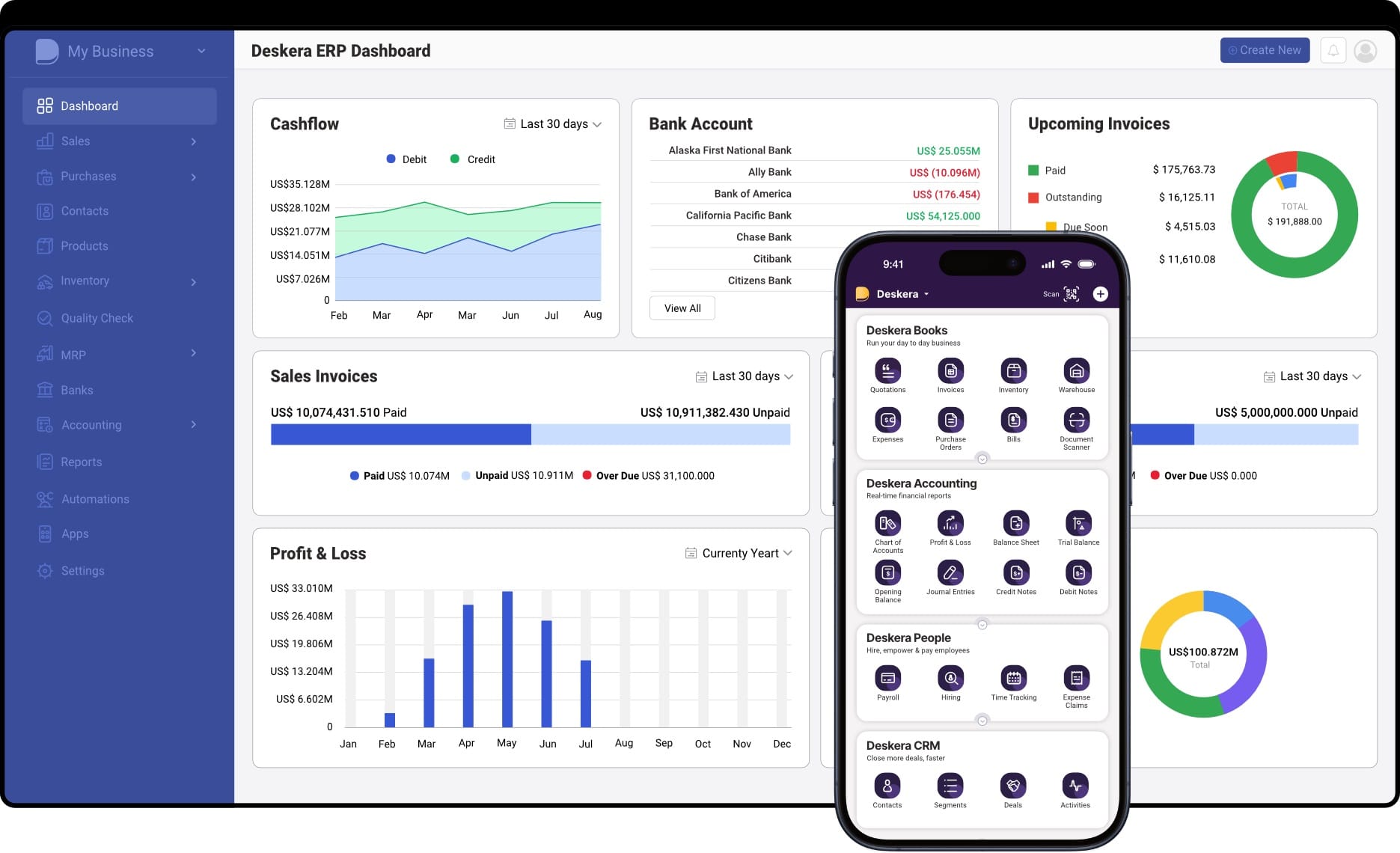
Deskera ERP is a comprehensive, cloud-based business management platform that helps organizations streamline operations, improve data accuracy, and maximize the value of their ERP investment. By unifying core business functions on a single platform, it not only supports smoother ERP data migration but also drives long-term efficiency, visibility, and growth.
Unified, Centralized Business Management
Deskera ERP brings finance, inventory, sales, HR, CRM, and operations into one integrated system. This eliminates data silos and ensures all departments work with the same up-to-date information, greatly reducing errors and inconsistencies during and after data migration.
Real-Time Data and Reporting
With real-time dashboards and customizable reports, Deskera provides instant visibility into key business metrics such as cash flow, inventory levels, sales performance, and operational efficiency. This helps leaders monitor migration outcomes and make faster, informed decisions.
Automation of Routine Processes
Deskera automates repetitive tasks across accounting, invoicing, inventory updates, and workflows, cutting down manual effort and minimizing the risk of human error—especially during complex migration projects.
Efficient Financial and Operational Controls
From automated bank reconciliation to budgeting and forecasting, Deskera’s financial management tools provide tight controls and accurate financial visibility. Integration with inventory and order modules ensures financial records reflect real operational data.
Inventory and Order Management
Deskera offers real-time inventory tracking, stock alerts, warehouse automation, and multi-channel order management—critical for businesses moving operational data into the ERP system. These features ensure accurate stock levels and streamline fulfillment processes.
Customer Relationship Management (CRM)
Built-in CRM capabilities help manage customer data, track sales pipelines, and monitor interactions—all synchronized with the ERP. This unified approach reduces duplicates and improves data quality across departments.
Scalable, Cloud-Based Architecture
Being cloud-native, Deskera is accessible anywhere with an internet connection and scales easily as your business grows. Automatic updates, mobile access, and flexible deployment reduce IT burden and preparation overhead during migration.
Improved Collaboration and Compliance
Deskera centralizes data and insights, enabling better team collaboration and shared visibility. Robust security measures and compliance capabilities help protect data and support regulatory requirements across finance and operations.
Enhanced Post-Migration Support
Beyond migration, Deskera’s platform fosters continuous improvement—providing analytics, feedback loops, and optimization tools that help businesses fine-tune workflows and improve performance over time.
Key Takeaways
- ERP data migration is a structured process of extracting, transforming, and loading business-critical data into a unified ERP database to ensure accuracy, continuity, and usability.
- Poorly planned data migration can derail ERP implementations by causing data inaccuracies, duplicated records, compliance risks, downtime, and loss of stakeholder confidence.
- Data quality, data volume, complex legacy structures, system integrations, and organizational resistance are the most common obstacles organizations face during ERP data migration.
- Treating ERP data migration as a strategic initiative—rather than a technical task—helps prevent cost overruns, delays, and post-go-live performance issues.
- A clear ERP data migration plan that includes data assessment, mapping, cleansing, testing, and risk management is essential for a smooth transition.
- Choosing an ERP platform with strong integration, scalability, and cloud readiness simplifies migration and supports long-term operational agility.
- Early testing and validation reduce the risk of data loss, mismatches, and system failures before final go-live.
- Cloud-based ERP migration offers flexibility, lower infrastructure costs, remote accessibility, and easier updates when planned and executed correctly.
- Effective communication, user training, and change management are critical to ensuring adoption and minimizing disruption during and after migration.
- Continuous post-migration monitoring helps identify data issues early and optimize ERP performance over time.
- A successful ERP data migration depends on a cross-functional team that includes leadership sponsors, project managers, IT experts, business users, and change management leads.
- Deskera ERP supports successful ERP transitions by centralizing business data, automating workflows, enabling real-time reporting, and providing scalable cloud-based ERP capabilities that reduce complexity and improve visibility across the organization.
Related Articles
 Rhema Hans
 Niti Samani
 Niti Samani
 Niti Samani
 Niti Samani
 Niti Samani