


Clients and customers mean everything to a business. Whatever operations happen inside a company’s office are oriented towards creating quality deliverables for the clients or customers. That said, there are many other activities also happening simultaneously that are not concerned with deliverables at all; however, resources do get spent on such activities as well.
This is where the true importance of tracking billable and non-billable hours comes to light. Understanding how, where, and when a company’s resources are being spent, and what chunk of those resources are going into creating deliverables, helps to measure efficiencies and other key performance indicators at a firm.
Billable hours are an integral part of how an organization functions. On the surface, it may appear to be a superfluous thing to do; actually, billable hours are the first tool a company has that helps them plan their manpower effectively. There are many other aspects of understanding and tracking billable hours that help an organization optimize its resource allocation and grow holistically. By covering the topics listed below, you will have a fuller comprehension of billable and non-billable hours:
- What are Billable Hours?
- Billable vs. Non-Billable Hours
- Importance of Tracking Billable Hours
- Advantages of Tracking Non-Billable Hours
- Calculating Billable Hours
- Increasing Billable Hours
What are Billable Hours?
There are industries where work done on a particular project for a particular client is billed at hourly rates. The total amount of hours expended to complete such a project is then calculated to raise invoices against the deliverables, whether services or products. The hours against which compensation is billed to the client are called billable hours. This is the time that a team actually dedicates to activities directly concerned with project progress and delivery.
Billable hours make sense in the case where itemized billing is complicated. For example, billing for the communications, meetings, and correspondences does involve an investment of time and resources but can’t be billed as items on an invoice. This is where the billable hours method comes in handy. Some other tasks that directly concern project progress but cannot be justified by other methods are research involved with the project, site visits, revisions and modifications requested by the client after the first deliverable, etc.
What about non-billable hours?
On the other hand, the existence of billable hours does not negate the importance of non-billable hours in any way. Non-billable hours fall under the window of time your teams spend on activities that are essential for the efficient internal functioning of the organization. For example, submission of progress reports to the seniors, attending internal meetings regarding resource allocations, and other such activities. Although important as well, they aren’t directly related to an ongoing project, classifying them as non-billable hours.
For activities performed under the non-billable hours, the compensation cannot be expected to come from any client, since these aren’t the tasks that concern their projects. Rather, these are the tasks that are directly charged to company accounts. This makes it all the more important to plan resources well so that non-billable hours are as few as possible, while the billable hours are as high as can be.
Billable Hours vs. Non-Billable Hours
There are certain distinctive differences between billable and non-billable hours that make both of them an important part of a company’s revenue. Let’s see what these differences are.
- Billable hours are the ones for which the team working on a project can claim compensation from a client, while the non-billable hours cannot be billed to the client
- The tasks performed during billable hours are necessarily related to projects/clients/customers. On the other hand, the tasks carried out during non-billable hours are not related to any ongoing projects, and purely concern the internal workings of a company
- Billable hours help to estimate the effort spent on one project where itemized billing isn’t possible, for example, for law firms or consultancies. On the other hand, non-billable hours are completely unrelated to how a project is billed or executed, since these hours are charged directly to the company and are mutually exclusive of the projects a company is handling
- Billable hours are a direct metric of the productivity of a company’s employees; the higher the billable hours, the higher the productivity. On the other hand, non-billable hours constitute some idle employee time which may indicate the lack of productivity (for example, the time spent on coffee breaks)
However, not all non-billable hours are devoid of meaningful purpose in an employee’s typical day. The activities listed below are counted under non-billable hours, but are essential to the company’s daily functioning:
- Responding to emails
- Time spent on training and other company-mandated curricula
- Attending to calls
- Business development, pitching to new clients, searching for new opportunities
With that said, not all the 8 hours of an employee’s workday should constitute non-billable hours. There needs to be engagement with some sort of project to ensure that there is optimal resource allocation being practiced at a firm.
Importance of Tracking Billable Hours
To ensure that your team is fairly compensated for the efforts they expend to complete a project, tracking billable hours is of utmost importance. Let’s discuss a few more benefits.
Billable Hours is a Productivity Indicator
Billable hours are a great way to track how effective a team has been while working on a project. They indicate which team members worked overtime, which team members clocked out early, what were the tasks that the team accomplished by the end of the day, and which tasks are taking longer. This helps to streamline the progress of a project effectively.
Billable Hours Help Mobilize Resources
Since billable hours help improve the progress visibility of tasks, it helps to understand which tasks are taking longer to complete and which ones do not need as much manpower. Where there is overtime clocking by more employees for a task, and it still shows little progress, the company can effectively mobilize more resources to speed things up. On the other hand, if there is a task lying idle or unattended, employees clocking more non-billable hours can be delegated to handle them.
Billable Hours Help Align Future Tasks
Tracking billable hours gives you visibility on how your employees are tackling the work at hand. This, in turn, helps you align your manpower better with similar projects that come up in the future, by nailing the workforce that got the job done the soonest, for example. Tracking billable hours also helps you recognize where this method of billing worked most effectively, and where things need to be tweaked.
Billable Hours Give an Idea of Resources Spent
Where itemized billing doesn’t give an exact idea of the effort put into a project, the billable hour method accounts for all kinds of resources poured into a project for the duration it was active, giving an accurate idea of the spending incurred. With this information, a lot many tasks can be streamlined for cost-effectiveness (for example, use of corporate gifts or stationery, paper expense, etc.)
How to Calculate Billable Hours
Calculating billable hours, unfortunately, is a bit difficult when done manually. Most difficult of all, it requires mindfully keeping the track of time spent engaged individually with every project, and actively making a log. This can be done on spreadsheets; however, it requires involving further non-billable hours into the mix. With that said, there are many software available today that help employees punch in specific project-related times against project codes or other similar segregates.
Prior to deploying such software, there are a few steps that you need to perform.
Setting The Base Hourly Rate
The team that you plan to deploy over a project needs to come up with a justified hourly rate for that particular project. This rate must be transparently discussed with the clients, broken down into components that cover employee time, correspondence time, site visits, and other criteria. It should include the stipulated profit margin that the company mandates for each project. Your team needs to factor in the vacations, downtimes, emergencies and contingencies, price practicality, inflation margin, etc., and come up with a realistic figure.
Schedule of Invoicing
Clients like transparency and visibility in their projects. Giving them an invoicing schedule contributes to this more importantly than you think. It helps them plan their payouts. Better yet, discussing the invoicing schedule with the client helps both parties align their payment schedules so that there is minimal delay between raising an invoice and receiving remuneration.
Employing a Billable Hours Software
Once all the parameters are decided, getting the software to help employees punch their times into it constitutes the next step. Depending on the software used, there will be project identifiers that lets employees clock time for each project they work on individually. The software keeps track of billable as well as non-billable hours and provides the company a condensed set of data to plan resources well.
Deskera HRMS
Deskera HRMS is a platform business owners can use to manage your employees. To start with, Deskera has an excellent payroll software that will ease out the payroll process of your company. And the best part of the Deskera HRMS is you can do it in just three steps. Simply add employees to the system, select the amount to be paid, and pay them off.
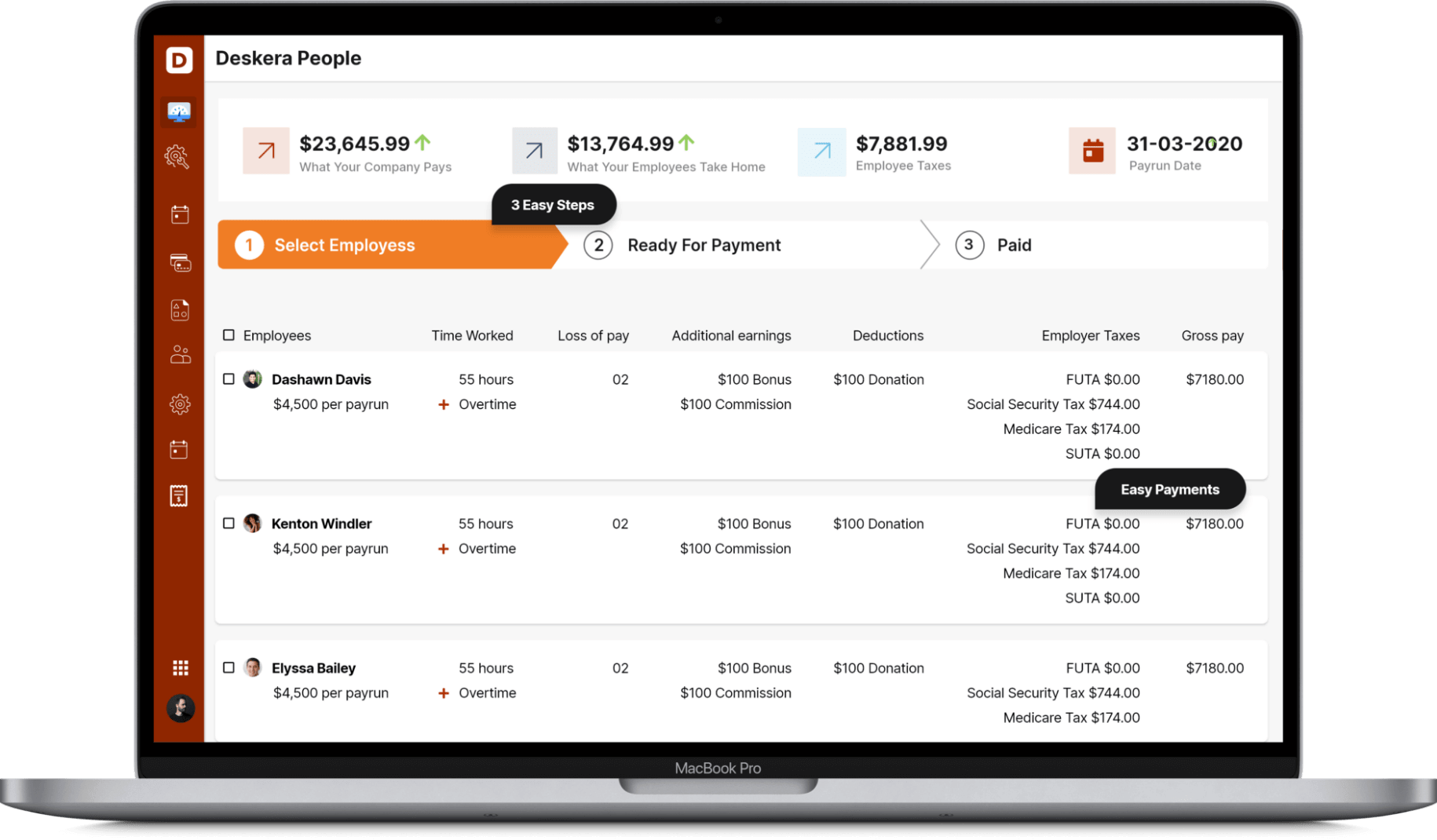
Secondly, all you need to do is access one dashboard, and you have all your employee information aligned together. The People Dashboard depicts all the pertinent information like the cost of the previous pay run and estimates of the upcoming one.
With Deskera, you can also add and deduct salary components easily without much hassle. Simply set up employee bonuses, voluntary deductions, taxes, and so on.
Deskera also develops extensive reports on your payroll, taxations, and all you need to know about your company. As a result, you are always prepared for any inspections taking place or if you have to go through any specific information.
Conclusion
Tracking billable hours is more critical for certain industries (like consultancy) as compared to others (like retail brands). However, most companies today use billable hours as a metric to understand the revenue stream coming directly from clients. More often than not, billable hours are used to understand how productively the employees of a company are using their time.
Key Takeaways
Billable hours represent the time spent working directly on a client's projects. All the activities concerning the project can be billed to the client and compensation can be requested for such time invested in progressing the project forward. Billable hours are important to track because they help in:
- Gauging employee productivity
- Planning and phasing resources
- Aligning future efforts better with project requirements
- Understanding efficacy of manpower in handling tasks
Billable hours today are mostly handled automatically by software, where employees only need to enter the time spent on each project by selecting the suitable identifier.
Companies like consultancies, law firms, and other service-oriented companies usually use the billable hours method to raise invoices.
Related Articles
 Vivien
 Vivien
 Rhema Hans