


Deskera» LMS» Learning Content Management Software
Learning Content Management Software
End-to-End Learning Content Management Software to Create, Publish and Share Learning Content in Real Time.
Learning Content Management Software provides you with a multi-user environment where you may create, store, reuse, manage, and deliver digital learning content from a central object repository. To be precise, Deskera LMS Content Management System helps you to create, deliver and manage high-quality learning content quickly and cost-effectively.
It allows you to maintain a catalog of re-usable learning objects with advanced search capabilities, create question banks with choice of question types and difficulty levels, and maintain an assignment repository with standard assignment templates and facility to upload documents. Furthermore, one can also edit learning content and insert pictures, links, videos and more using the rich content editor.
So with this feature of Content Management System you can manage learning content across your organization's various training development areas. It provides developers, authors, instructional designers, and subject matter experts the means to create and re-use e-learning content and reduce duplicated development efforts.
Key Features
Control Content authoring, editing and publishing with Content Management System
Create Learning Objects including sections, quizzes, files and links using a WYSIWIG editor. Share, tag and archive learning objects for quick retrieval.
Flexible Learning Content Workflow Management and Content Approval Process
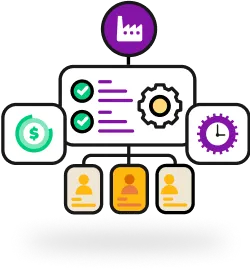
Content Management System allows you to define sequential relationships between the learning objects using a highly intuitive drag and drop interface which allows you to monitor the entire flow of Course Content Consumption. Define the rules and conditions for consumption of content by the students through Rules Engine by simply clicking on the link between learning objects and selecting the rule to be applied with Content Management System.
View all Content Types with Content Viewer:
View all types of course content including those created natively in Learning Content Management System or external objects such as SCORM content, Microsoft Documents, Adobe Documents, etc. It helps students to view course content based on consumption rules and pedagogy defined by the authors and faculty.
Manage Learning Object Catalogue:
Maintain a central repository for all learning objects with Content Management System. You can quickly search and reuse learning content for different sessions, reducing the high costs normally associated with content production.
Create and configure quizzes with Quiz Creation Wizard:
Content Management System allows you to create and configure quizzes through quiz creation wizard and publish them as a part of the course content. Incorporate multiple question types, content versions, multiple difficulty levels and tagging functionality.
Manage Single Repository of all the questions with Question Bank:
Content Management System enables you to maintain a single repository of all the questions and assignments across the campus which can be accessed and reused to bring about efficiency and consistency. Create new questions on the fly and incorporate them in question bank.
Manage Courses with Content Management System:
Create courses through simple drag and drop after adding content through files. Create quizzes and surveys through ‘Question Bank’ without uploading any files.
Content Metadata Management:
Capture extensive metadata for learning objects including author, language, version, learning outcome, learning time. Incorporate Digital Rights Management capabilities and comply with IMS QTI, SCORM and AICC standards.